Record and replay touchscreen actions with a floating controller to automate repetitive tasks
Record and replay touchscreen actions with a floating controller to automate repetitive tasks
Vote (86 votes)
Program license Free
Developer Erwin Goslawski
Version 1.4.6.0
Works under Android
Vote
(86 votes)
Developer
Erwin Goslawski
Works under
Android
Program license
Free
Version
1.4.6.0
Pros
- Record and replay actions
- Clever UI
Cons
- Requires root permission
RepetiTouch Free lets you record and replay touchscreen input on your Android device.
RepetiTouch Free is a limited freeware app that lets you experience RepetiTouch Pro in order to determine whether the app is worth the price. The main purpose of this app is to record touchscreen input and then play it back. You can play it back on an infinite loop or set the number of times the action loops and even insert delays and other manipulations.
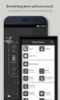
RepetiTouch is an app that can’t interfere with your screen because while you’re using it, you’ll want to access to your homepage, other apps and so forth. So, the developer has come up with a rather clever UI. The app sits as a small rectangul somewhere on your screen, and you can reposition it to any location. Settings are accessed via a long press, and these options let you change the size and orientation as well as many other UI settings.
Recording is a simple as a button tap, and while recording is live, it will capture all of the touch-based inputs that you make. This is registering the actual location and gesture type and not, for instance, the specific app icon tapped. An example of how to use this is within a game where there’s a lot of repetitive actions to be performed. There are also numerous settings to control what is recorded and how.
Once you have made a recording, you can play it back. You can also save multiple recordings and give them memorable names so that you can use them later. Playback can occur with just one tap, and the default loop count is three, but you can change that to any number or even infinity.
A long press for playback will bring up a list of looping options. It was one, two, five and infinity by default for us, but you can change those values as well as extend or shorten that list. You can also manipulate playback in many different ways either globally or saved within that recording.
Both RepetiTouch Free and RepetiTouch Pro require root access. That means that this great app is going to be off-limits to many users. If you don’t know what rooting is or aren’t comfortable doing it, then you’re best off skipping RepetiTouch Free and looking for another solution.
One issue we came across—which the developer is up front about—is multitouch support. Whether a particular device is supported can be hit or miss, and there’s no definitive list available so that you can check for your device. But at least this free version lets you try before you buy.
Be aware that RepetiTouch Free is significantly limited. This is a trial that gives you a chance to see if it’s a feature set you want and whether it will work on your phone or tablet. The limitations, however, make the app basically unusable beyond just checking it for a few minutes.
Pros
- Record and replay actions
- Clever UI
Cons
- Requires root permission